You may be scanning your applications regularly, but are you able to find the security flaws that pose the greatest risk with those scans?
Might be not! A scan could say ‘Finished Successfully’ but can still miss vulnerabilities hidden behind login pages, APIs or complex application workflows.
And that’s where comes Dynamic Application Security Testing (DAST) that makes your job easier. It tests running applications to identify security weaknesses that attackers could potentially exploit.
However, running a scan is only one part of the process. You also need to configure it correctly, review the findings and make sure someone addresses the problems.
You must follow the right DAST best practices to get more value from security testing. Let us look at how you can make your scans more effective without making the testing process unnecessarily complicated.
What is DAST?
Before we discuss the best practices, let us understand what DAST actually does.
Dynamic Application Security Testing examines an application while it is running. It sends test requests, studies the responses and looks for possible security weaknesses.
Unlike Static Application Security Testing (SAST), DAST does not need direct access to your source code. Instead, it checks how your application behaves when someone interacts with it.
For example, a DAST scan may identify SQL injection, cross-site scripting (XSS), weak session management or exposed information. These issues can put your application and its users at risk.
However, DAST cannot find every vulnerability on its own. You need to plan your scans carefully and combine them with other security testing methods where necessary.
10 DAST best practices to improve application security
Following these DAST best practices can help you identify vulnerabilities more reliably and manage them before they become bigger problems.
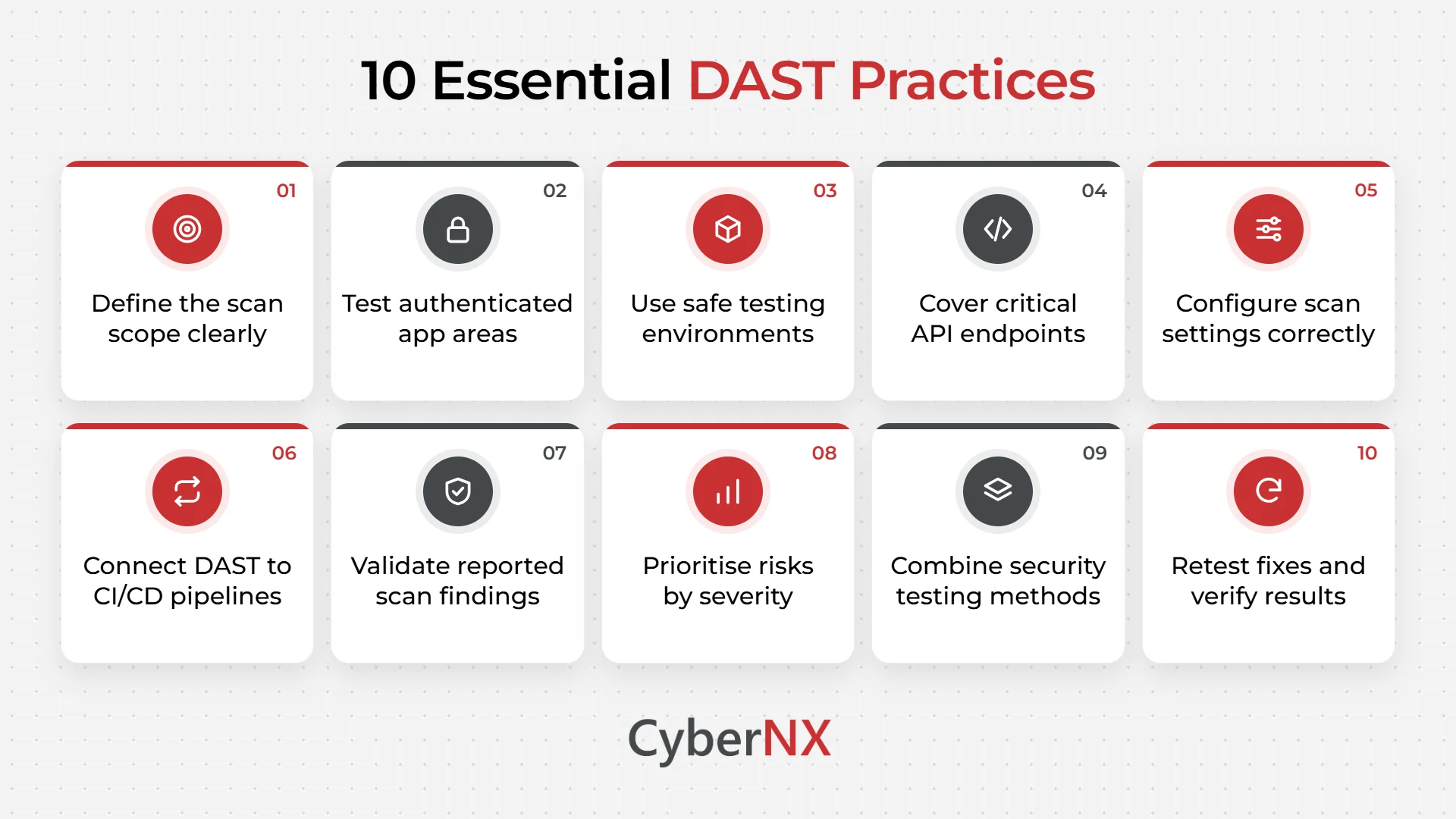
1. Know what you need to scan
Before starting a scan, check whether you have included all the applications and endpoints that require testing.
If your scope is incomplete, your scanner may miss important parts of your environment. Start by listing the applications, APIs and interfaces that require testing.
Pay particular attention to public-facing websites, internal applications, administrative portals and systems that handle sensitive information.
Also, review this list whenever your application changes. New features and endpoints can introduce risks that your existing scans may not cover.
2. Do not stop at the login page
A scan may cover your public pages but miss important functionality available only after login.
Think about what happens when users sign in. They may access account settings, upload files, change passwords or view confidential information. These functions need security testing too.
Configure your DAST tool to log in using appropriate test accounts. Make sure it can maintain sessions and navigate restricted pages throughout the scan.
Where necessary, test different user roles as well. This helps you check whether users can access information or functions beyond their permissions.
3. Choose the right environment for testing
You want to find vulnerabilities without accidentally disrupting the application or affecting its users.
For this reason, staging environments are often a suitable choice for active DAST scans. Ideally, your staging environment should closely match production in its configuration and behaviour.
Use test accounts and synthetic or sanitised data wherever possible. Also, make sure your scans cannot accidentally delete records or interrupt important services.
Sometimes, testing production systems may be necessary. If so, obtain approval, establish clear limits and monitor the application throughout the assessment.
4. Include APIs in your security testing
Does scanning your website mean you have tested its APIs? Not necessarily.
Many applications rely on APIs to exchange information between services, mobile applications and web interfaces. These endpoints can introduce security risks of their own.
Include relevant REST APIs, GraphQL endpoints and other interfaces in your testing scope. If your DAST tool supports OpenAPI specifications, provide them to help identify available endpoints.
Pay attention to authentication, request parameters and access permissions. For example, check whether a user can retrieve another user’s information by changing an identifier in a request.
Testing APIs separately helps you cover areas that ordinary website crawling might miss.
5. Adjust your scan settings to suit the application
Using the same settings for every application may not give you the results you need.
Consider what your application does, how users interact with it and what could happen if someone exploited a vulnerability.
For example, payment functions, file uploads and account management features deserve particular attention. A weakness in these areas could expose sensitive information or disrupt important operations.
Adjust crawling depth, request limits and scan duration according to the application. Run targeted scans after smaller changes and broader assessments before major releases.
Review your settings regularly so that changes to the application do not leave gaps in your testing.
6. Make DAST part of your development process
Finding a vulnerability before release gives your team an opportunity to fix it before it reaches users.
You can integrate DAST into your continuous integration and continuous delivery (CI/CD) pipeline. This allows scans to run at suitable stages of development and release.
You do not need to run a lengthy scan after every code change. Instead, use targeted scans for smaller updates and broader scans before significant releases.
Agree on how your team will handle critical findings. If a scan identifies a serious vulnerability, everyone should understand whether the release can proceed or requires further investigation.
This approach keeps security testing connected to development rather than treating it as a separate activity.
7. Check whether the findings are genuine
A DAST report may contain alerts that need further investigation. Not every alert represents a vulnerability that an attacker can exploit.
Start by examining the affected endpoint and the evidence provided by the scanner. Where possible, reproduce the issue in a controlled environment.
Sometimes, application behaviour or scan configuration explains an alert. Record confirmed false positives and adjust your settings when necessary.
However, do not dismiss a finding simply because a similar alert appeared before. Validate the evidence first.
This helps your team spend less time investigating irrelevant alerts and more time fixing genuine security weaknesses.
8. Fix the most important vulnerabilities first
When a scan produces several findings, deciding where to start can be difficult.
A useful approach is to consider severity alongside exploitability and business impact. Think about whether the application is publicly accessible, what information it handles and how an attacker might exploit the weakness.
For example, a confirmed SQL injection vulnerability in an application handling sensitive customer records may require urgent attention.
A lower-impact configuration issue may follow a different remediation timeline. Assign owners and deadlines to findings so that important fixes do not remain open indefinitely.
9. Combine DAST with other security testing methods
DAST gives you useful information about running applications, but it does not cover every aspect of application security.
Different testing methods help you identify different types of weaknesses.
| Testing method | What it helps you find |
| DAST | Vulnerabilities exposed by running applications |
| SAST | Potential weaknesses in source code |
| Software Composition Analysis (SCA) | Vulnerable open-source dependencies |
| Penetration testing | Exploitation paths and complex security weaknesses |
For example, SAST may identify unsafe input handling in your code. DAST can then help establish whether the running application exposes a related vulnerability.
Using these methods together gives you a clearer understanding of your application’s security risks.
10. Retest the application after fixing vulnerabilities
Finding and fixing a vulnerability does not end the process. You also need to confirm that the fix works.
After your team applies a patch or changes the code, run the relevant tests again. Check whether the original vulnerability has been resolved and whether the change has introduced any new issues.
Keep track of useful measures, such as unresolved vulnerabilities, remediation times and application scan coverage.
Review these results regularly. They can help you identify recurring problems and understand where your security testing process needs improvement.
Final thoughts
Effective DAST involves more than running scans. You need to review findings, prioritise risks and ensure vulnerabilities receive timely attention. Avoid common mistakes such as overlooking APIs, using outdated scan settings and skipping retesting after fixes.
At CyberNX, we provide cybersecurity services to help organisations identify security gaps and strengthen application security. Our Secure Code Review services complement DAST by examining application code for potential security issues.
Combining runtime testing with code-level analysis helps you assess vulnerabilities from different perspectives and make informed remediation decisions.
Visit CyberNX to learn more about our cybersecurity services and how we can support your application security requirements.
DAST best practices FAQs
How often should we run DAST scans?
Run DAST scans before major releases and after significant application changes. You should also schedule regular scans for applications that change frequently. The right frequency depends on your application’s exposure, business importance and security requirements.
Should we run DAST in production or staging?
Staging is generally preferable for active scans because it reduces the risk of disrupting live services. Keep the environment close to production for meaningful results. Production testing requires proper authorisation, monitoring and safeguards against disruptive requests.
Can DAST find every application vulnerability?
No. DAST tests how a running application behaves, so it may miss untested paths and complex business logic flaws. You can combine it with SAST as dependency analysis and penetration testing helps you identify a broader range of security weaknesses.
How can you reduce false positives in DAST?
Configure your scanner correctly and review the evidence behind each finding. Reproduce suspicious behaviour in a controlled environment wherever possible. Investigate recurring alerts before dismissing them, as similar findings may still represent genuine vulnerabilities.
Can you integrate DAST into a CI/CD pipeline?
Yes. You can configure DAST scans to run against staging deployments or release candidates. Targeted scans can check recent changes, while broader assessments can run before major releases. Clear rules for handling critical findings help teams respond consistently.
Is DAST enough to secure web applications and APIs?
No. DAST is an important part of application security, but it cannot identify every type of weakness. Combining it with SAST, software composition analysis and penetration testing provides broader coverage and helps you assess risks more thoroughly.