This is Part 2 of a 3-part series on CrowdStrike Falcon deployments. Part 1 covered the deployment roadmap your team needs. Part 3 walks through the full anatomy of a successful engagement, from Day 1 to measurable SOC outcomes.
Let us begin with a warning: your CrowdStrike Falcon deployment may be giving you a false sense of security.
Do you remember the example of a NBFC in Mumbai we mentioned in Part 1? Six weeks of deployment work was done. But it was one of the most comprehensively misconfigured Falcon environments we had seen. And what made it dangerous was that nobody knew the gaps were there. That is the real risk of a bad CrowdStrike Falcon deployment.
These are the mistakes we found and our team see versions of all of them in almost every environment we are brought in to assess.
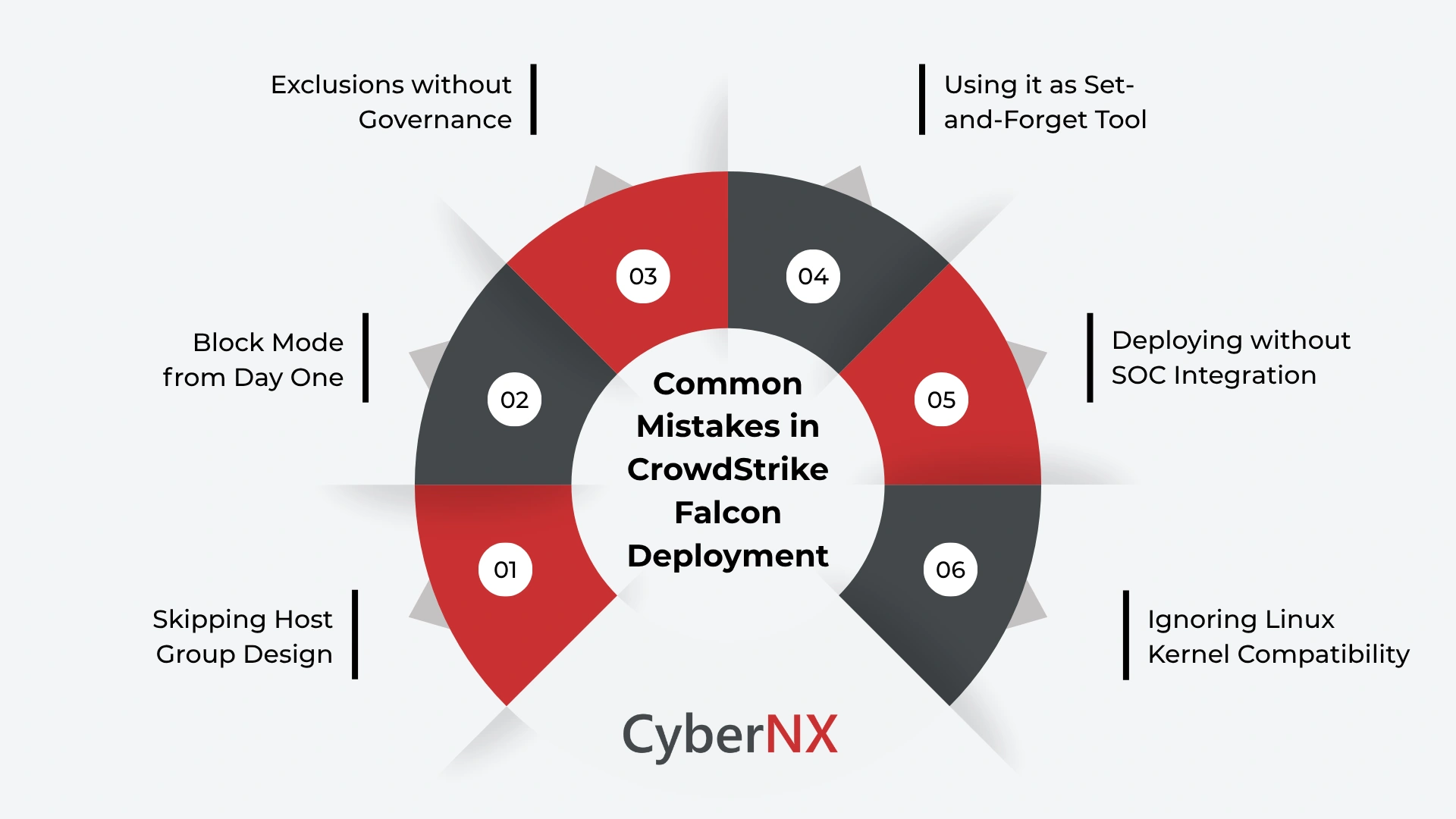
Mistake 1 – Skipping host group design
Host groups feel like an administrative detail. So, teams use the default group, create a handful of arbitrary ones and move on. Here is why that matters.
In Falcon, host groups are how every policy, exclusion and detection setting is applied. If your groups do not reflect your actual environment (if servers, workstations and domain controllers are lumped together) your policies cannot be targeted correctly. A prevention setting appropriate for a general workstation may be dangerously permissive for a domain controller.
In the NBFC, groups had been created by deployment batch. Whoever got sensors first was in Group A, whoever came next was in Group B. No logic connected group membership to asset risk. Every policy applied to those groups was effectively guesswork.
Fix this before you deploy. Design your host group taxonomy around how your business works. Build the structure first and deploy sensors into it second.
Mistake 2 – Going straight to Block mode
Teams that skip the Detection-Only baselining phase and activate blocking from day one start receiving calls within hours. Finance cannot run reconciliation scripts and operations cannot access legacy tools. Under pressure, the team adds exclusions fast, and without scrutiny, to make the noise stop.
Those exclusions are the real problem. Added in a hurry, they are almost always too broad. Instead of scoping an exclusion to a specific process on a specific group, teams exclude entire directories – creating permanent blind spots that outlive the original problem by years.
Run Detection-Only for at least one to two weeks on any new host group before moving to active prevention. Review every detection. Build exclusions deliberately, with the narrowest possible scope. Document every single one.
Mistake 3 – Letting exclusions grow without governance
This is the slow-burn mistake. It does not cause immediate pain but accumulates quietly until your exclusions list has grown into something nobody fully understands, and nobody wants to touch.
We have walked into environments where exclusions ran to hundreds of entries with no documented justification. In one case, a critical system path excluded for a legacy application – an application decommissioned two years earlier – was still open. That path was exactly where a threat actor would operate.
Every exclusion needs a documented reason, the narrowest possible scope and a review date. Quarterly is a reasonable cadence. Any exclusion that cannot be justified at review should be removed. This is how you prevent your exclusions list from becoming an attacker’s map of your blind spots.
Mistake 4 – Treating Falcon as a set-and-forget tool
Falcon is not legacy antivirus. It requires active management. Prevention policies need to be revisited as your environment changes. New applications get deployed. New attack techniques emerge. If your policies have not been touched since initial deployment, they are almost certainly not optimised for your current environment.
We regularly see environments where the original policy configuration – done quickly, under deadline pressure – has never been reviewed. The team that configured it has sometimes left the organisation entirely. Nobody knows why settings are the way they are. Nobody has the mandate to change them.
Assign clear ownership of Falcon policy management. Schedule a monthly review. Treat configuration as a living responsibility, not a completed task.
Mistake 5 – Deploying without SOC integration
Falcon generates high-fidelity detections. But detections that go unreviewed protect nobody. If your Falcon instance is not connected to a Security Operations Centre (SOC) – whether internal or managed – you have a detection platform with no one acting on its findings.
In the NBFC, alerts had been accumulating in the console for weeks. No defined workflow existed for reviewing them. No one owned the detection queue. By the time we arrived, hundreds of alerts sat unreviewed – including several that needed immediate investigation.
Before you go live, define who owns the detection queue. Define your triage workflow and escalation path. Connect Falcon’s telemetry to your Security Information and Event Management (SIEM) platform. If internal capacity is limited, a managed partner can provide this coverage from day one.
Mistake 6 – Ignoring Linux kernel compatibility
Falcon’s sensor for Linux depends on kernel compatibility. If you update your Linux kernel to a version Falcon does not yet support, the sensor drops into Reduced Functionality Mode (RFM). In RFM, the sensor is still present and still appears active in your console – but it is not delivering full protection. Your coverage looks intact. It is not.
Always check the supported kernels list in your Falcon console before running kernel updates on Linux servers. Build this check into your patching process. It takes two minutes and prevents an invisible gap in your coverage that can persist for weeks.
Conclusion
Every one of these mistakes produces the same outcome: a Falcon deployment that looks operational but is not delivering the protection you are paying for. Some fail loudly. Most fail quietly, accumulating gaps that only become visible when something gets through.
The NBFC in Mumbai had made every mistake on this list. None were obvious from the dashboard. All were fixable – but only once someone who knew what to look for was in the room.
If your Falcon deployment has been live for more than a few months and has never been independently assessed, the chances are high that some of these issues exist in your environment right now.
Our CrowdStrike consulting team assesses Falcon deployments regularly, identifying exactly these gaps and building a clear remediation path. Talk to our CrowdStrike consulting team.
Falcon Deployment mistakes FAQs
How do I know if my Falcon deployment has been misconfigured?
The most telling signs are an exclusions list that has grown without clear documentation, prevention policies not reviewed since initial deployment and no defined SOC workflow for acting on detections. If your team cannot explain why a specific exclusion exists or who last reviewed your policies, a configuration assessment is overdue.
Is it safe to remove old exclusions from a live Falcon environment?
Yes, but do it in stages. Verify whether the original process the exclusion was created for still exists. Remove one exclusion at a time, monitor for resulting detections and give your team 24 to 48 hours to assess impact before removing the next. Never remove a large batch at once – if something breaks, you will not be able to identify the cause.
What does Reduced Functionality Mode mean for my Linux endpoints?
Reduced Functionality Mode (RFM) means the Falcon sensor is running but cannot load its kernel module – which is required for full endpoint protection. In RFM, the sensor appears active in your console but is not providing behavioral detection or prevention. Always cross-reference your Linux kernel versions against Falcon’s supported kernels list before any OS update.