SIEM migration decisions are rarely impulsive. They come after months of frustration. The possible reasons include but not limited to rising licence costs, slower searches and limited flexibility. Then there is pressure from leadership to modernise security operations without increasing spend.
We hear this often in conversations with CISOs and SOC leaders. Many organisations see Elastic SIEM as a strong alternative to Splunk. But here is the reality. Migrating SIEM platforms the wrong way can create more problems than it solves.
Missed detections, broken dashboards, compliance gaps and even downtime during live incidents.
This is why a structured and expert led approach matters. In this blog, we explain why organisations migrate, what can go wrong if migration is rushed, and then share an expert reviewed Splunk to Elastic SIEM migration checklist based on real world execution.
Why many organisations move from Splunk to Elastic SIEM
First thing first, migration is rarely about one single issue. It is usually a combination of operational, financial and strategic drivers.
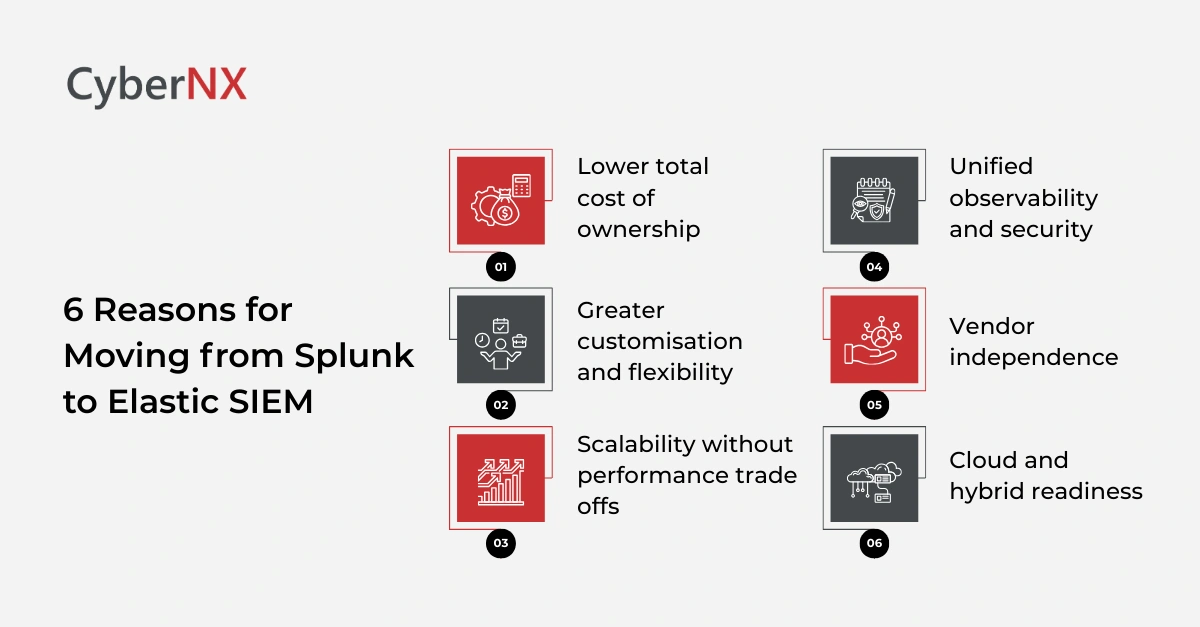
1. Lower total cost of ownership
Cost is the most common trigger. Splunk’s ingestion-based licensing becomes expensive as log volumes grow. Elastic’s flexible pricing and tiered storage models help teams control spend while scaling data ingestion.
2. Greater customisation and flexibility
Security teams want control over how data is parsed, enriched and queried. Elastic’s schema on read approach allows deeper customisation without rigid constraints.
3. Scalability without performance trade offs
As environments grow across cloud, SaaS and endpoints, SIEM platforms must scale horizontally. Elastic’s distributed architecture supports high volume ingestion and fast search even at scale.
4. Unified observability and security
Many teams want security data alongside application, infrastructure and cloud telemetry. Elastic enables a unified view across logs, metrics, traces and security events in one platform.
5. Vendor independence
Organisations increasingly avoid lock in. Elastic’s open ecosystem and API driven design appeal to teams seeking long term flexibility.
6. Cloud and hybrid readiness
Elastic aligns well with modern cloud and hybrid environments. This is especially important for organisations shifting workloads across regions and providers.
Why migrating without the right approach creates risk
A SIEM migration is not a lift and shift exercise. When done poorly, the consequences are serious.
- Detection blind spots: Recreating correlation logic incorrectly can result in missed alerts. This often goes unnoticed until a real attack happens.
- Downtime during cutover: Poorly planned cutovers can interrupt log ingestion or alerting. Even a short outage can impact incident response.
- Misconfigurations and noisy alerts: Incorrect field mappings and parsing errors lead to alert fatigue. Analysts lose trust in the new platform quickly.
- Compliance and audit gaps: Retention misconfigurations or missing logs can break compliance obligations. Fixing this later is expensive and stressful.
- Higher infrastructure costs: Without optimisation, Elastic deployments can be over provisioned. This defeats one of the key reasons for migrating in the first place.
This is why expert involvement is not optional. The right partner helps avoid downtime, ensures a secure and compliant setup, reduces infrastructure costs and accelerates deployment using proven best practices.
The expert reviewed migration checklist
Below is a checklist shaped by real client migrations. Each step is designed to reduce risk and protect security outcomes.
Step 1: Establish clear migration goals
Before touching technology, align on intent. Define what success looks like. Is it cost reduction, faster detection, improved visibility or all three? Document measurable goals. This clarity drives every decision that follows. Also decide early what will not be migrated. Not all legacy data or dashboards deserve a second life.
Step 2: Assess current Splunk environment in detail
This step prevents unpleasant surprises later. Review active indexes, daily ingestion volumes and retention periods. Identify unused or low value data sources. Many environments carry years of legacy logs that add cost without security value.
Catalogue all correlation searches, alerts and dashboards. Mark which ones are business critical.
Step 3: Plan the target Elastic architecture
Always design before deploying. Decide on deployment model. Cloud hosted, self-managed or hybrid. Size clusters based on realistic ingestion and search workloads. Design index lifecycle policies early. Hot, warm and cold tiers help balance performance and cost. This is where expert guidance can significantly reduce infrastructure spend.
Step 4: Data source mapping and normalisation
This is the backbone of a successful migration. List every log source and ingestion method. Map fields carefully to Elastic Common Schema. Consistent field mapping is essential for detections and dashboards to work as expected. Build ingest pipelines to parse, enrich and normalise data. This reduces complexity later and improves analyst experience.
Test with sample datasets before onboarding full volumes.
Step 5: Detection and use case migration
This is where security value lives or dies.
Export existing Splunk detection logic. Review relevance with current threat models. Retire outdated rules rather than migrating them blindly. Rebuild high value detections using Elastic Security rules, KQL and EQL. Where possible, leverage Elastic’s prebuilt detections and adapt them to your environment. Validate detections using historical attack data or controlled simulations.
Step 6: Dashboard and reporting redesign
Dashboards should support decisions, not just look familiar. Identify dashboards actively used by SOC analysts, management and auditors. Redesign them using Elastic visualisations rather than trying to replicate Splunk layouts exactly. Focus on clarity, performance and actionability. Test dashboards under real data loads.
Step 7: Security, access and compliance configuration
The SIEM must be secure by design.
Define role based access aligned to SOC responsibilities. Integrate identity providers and enforce MFA. Secure ingestion endpoints. Encrypt data in transit and at rest. Validate audit logging and retention against compliance requirements.
Expert review at this stage prevents misconfigurations that are hard to detect later.
Step 8: Parallel run and validation
Never switch off the old SIEM too early. Run Splunk and Elastic in parallel for a defined period. Compare alerts, detections and investigation outcomes. Actively involve SOC analysts. Their feedback helps fine tune searches, dashboards and workflows. Only proceed once confidence is high.
Step 9: Phased cutover and decommissioning
Plan cutover like a change management exercise. Migrate data sources in phases. Update incident response playbooks and escalation processes. Before decommissioning Splunk, confirm compliance obligations are met and historical data is archived securely.
Step 10: Post migration optimisation
Migration is not the finish line. Continuously tune index lifecycle policies and cluster sizing. Review detection coverage against emerging threats. Train analysts on Elastic search and investigation workflows. Adoption improves when teams feel confident using the platform.
Read our blog on ArcSight to Elastic SIEM checklist and QRadar to Elastic SIEM migration checklist
Why expert help makes a measurable difference
Across migrations, one pattern is consistent. Expert led projects complete faster, cost less over time and deliver stronger security outcomes.
The right expertise helps avoid downtime and misconfigurations. It ensures secure and compliant deployments. It reduces infrastructure costs through right sizing. And it accelerates time to value by applying proven best practices from day one.
Conclusion
SIEM migration is a strategic security initiative, not a technical side project. When done right, it delivers cost control, flexibility and improved visibility. When rushed, it introduces risk. This checklist reflects how migrations should be approached in the real world. Structured. Validated. And led with experience.
At CyberNX, we help security teams to plan and execute Splunk to Elastic SIEM migrations with minimal disruption and maximum confidence. If you are considering a move, a short consultation can help you avoid costly mistakes and accelerate results. An in case you are looking for managed SIEM services, contact us today to know our capabilities and how we can take your security program to the next level.
Splunk to Elastic SIEM migration checklist FAQs
How long does a typical SIEM migration take?
Most mid-sized organisations complete migrations in three to six months, depending on data volume and detection complexity.
Should all historical Splunk data be migrated?
Not always. Many teams archive older data separately to reduce cost while meeting compliance needs.
Can Elastic SIEM fully replace Splunk use cases?
Yes, but detection logic and dashboards must be redesigned thoughtfully rather than copied directly.
Is parallel running mandatory during migration?
It is strongly recommended. Parallel runs reduce risk and build trust in the new platform.