One insecure function is enough to leak sensitive data or weaken authentication. Sometimes it can even bring down an entire application. Finding it after deployment costs far more, in money and in risk. Static Application Security Testing (SAST) helps us catch such flaws early.
SAST tools read your source code, bytecode or compiled binaries without running the application. They spot risky coding patterns while developers are still building. That way, your team can fix problems before they reach production.
Choosing the right tool takes more than comparing feature lists, though. Language support, integrations, accuracy and reporting all play a part. Here, we look at five SAST tools worth testing for your application security programme.
What should you look for in SAST tools?
The right pick depends on your environment, your security goals and how your team already works. Keep these points in mind while you shortlist.
- Language coverage: Check whether the tool supports your programming languages and frameworks.
- Detection accuracy: Evaluate how effectively it identifies vulnerabilities and limits false positives.
- Developer integration: Look for integration with IDEs, repositories, and CI/CD pipelines.
- Reporting and remediation: Prioritise actionable findings with clear explanations and remediation guidance.
- Scalability: Ensure the tool supports your repositories, development teams, and scanning requirements.
- Cost and licensing: Compare commercial offerings with free SAST tools and open-source alternatives.
A suitable solution should fit your development lifecycle without creating unnecessary friction.
5 best SAST tools to consider
These SAST tools list offer different approaches to static code analysis. Compare their strengths, limitations, and suitability before making your selection.
1. Checkmarx
Checkmarx is a SAST tool which offers application security testing through its broader application security platform. Its static analysis helps you find vulnerabilities in the code your own team writes.
The platform supports security testing across development workflows. Teams can integrate scanning into their development and build processes. Developers then see issues early, well before the code reaches production.
Key features:
- Static code analysis for supported programming languages
- Integration with development tools and CI/CD workflows
- Security findings and remediation guidance
- Broader application security capabilities
Best suited for: Organisations seeking enterprise-grade application security testing across complex development environments.
Consideration: Evaluate licensing costs, deployment requirements, and supported language coverage before implementation.
2. Veracode Static Analysis
Veracode Static Analysis helps you spot security flaws in your application code. It runs on a cloud-based platform and fits into the way your teams already build software.
You can scan applications and review every finding in one central place. That makes it easier for your security team to prioritise risks and coordinate remediation.
Key features:
- Static analysis for supported languages and frameworks
- Centralised vulnerability reporting
- Integration with development and delivery workflows
- Support for application security governance
Best suited for: Organisations requiring centralised application security testing and reporting across development teams.
Consideration: Confirm language support, scan requirements, and integration options against your existing environment.
3. Semgrep
Semgrep is a SAST security tool which is popular for its customisable rules and developer-friendly workflows. Its open-source version is a handy place to start if your team is new to SAST.
Developers can use the existing rules or write their own checks for specific coding habits. It also integrates into your pipelines. So, insecure patterns get detected during code reviews.
Key features:
- Open-source static analysis through Semgrep Community Edition
- Custom rules for organisation-specific security requirements
- Support for multiple programming languages
- Integration with repositories and CI/CD pipelines
Best suited for: Development teams seeking flexible, rule-based analysis and custom security checks.
Consideration: Rule configuration and tuning may require security expertise. Advanced capabilities may also depend on the selected edition.
4. SonarQube
SonarQube checks your source code for bugs, security flaws and maintainability problems. Its security analysis help you spot unsafe coding practices along the way.
The platform fits naturally into code quality workflows. Your team can review findings as they build and set quality gates. These gates make sure agreed standards are met before code moves ahead.
Key features:
- Static code analysis for supported languages
- Detection of security vulnerabilities and coding defects
- Quality gates and reporting
- Integration with common development workflows
Best suited for: Teams wanting to combine code quality checks with security analysis.
Consideration: Review the security rules available in your chosen edition. SonarQube’s security coverage is not identical across all editions.
5. GitHub CodeQL
GitHub CodeQL uses semantic code analysis to find possible vulnerabilities. It represents code as a queryable database, allowing security rules to examine relationships within applications.
You can run it through GitHub code scanning or supported external workflows. Ready-made queries catch patterns linked to common vulnerability types. You can also write custom queries for more specialised needs.
Key features:
- Query-based analysis of supported codebases
- Security checks for common vulnerability classes
- Integration with GitHub code scanning and pull requests
- Custom queries for specific security requirements
Best suited for: Teams using GitHub that want code security checks within their development workflows.
Consideration: Setup, language support, and access to particular features depend on your repository, configuration, and chosen plan.
Comparison table: Top 5 SAST tools
| SAST tool | Key strength | Best suited for | Open-source option | CI/CD integration | Custom rules |
| Checkmarx | Enterprise code security | Large development environments | ✗ | ✓ | ✓ |
| Veracode | Centralised security testing | Enterprise security programmes | ✗ | ✓ |
✓ |
| Semgrep | Flexible, rule-based analysis | Developer-focused teams | ✓ | ✓ |
✓ |
| SonarQube | Code quality and security | Teams combining quality with security checks | ✓ | ✓ |
✓ |
| GitHub CodeQL | Query-based vulnerability detection | Teams using GitHub workflows | Depends on plan | ✓ |
✓ |
Free SAST tools and open-source options
Free SAST tools can help teams establish baseline code security checks without immediately committing to commercial licensing. However, free availability does not guarantee complete security coverage.
Semgrep Community Edition and CodeQL’s available open-source workflows are worth evaluating. SonarQube Community Build may also suit teams seeking broader code quality analysis.
Note: Before adopting SAST open-source tools, assess their maintenance, rule coverage, language support, and integration requirements. Some advanced capabilities require commercial subscriptions. Open-source tools may also need additional configuration and ongoing rule management.
Most importantly, free tools should support a defined security testing strategy. They should not replace risk assessment, manual review, or other necessary security controls.
How to choose the right SAST security tools
Choosing SAST security tools is a balancing act. You need good detection, happy developers and a setup that works for your organisation. Start with a small sample of your own applications and programming languages.
Then run a pilot using known vulnerabilities and realistic code changes. Compare the results with a manual review. This shows you where the tool misses issues and where it raises false alarms. Also assess scan duration and developer feedback.
The below practical steps would be helpful:
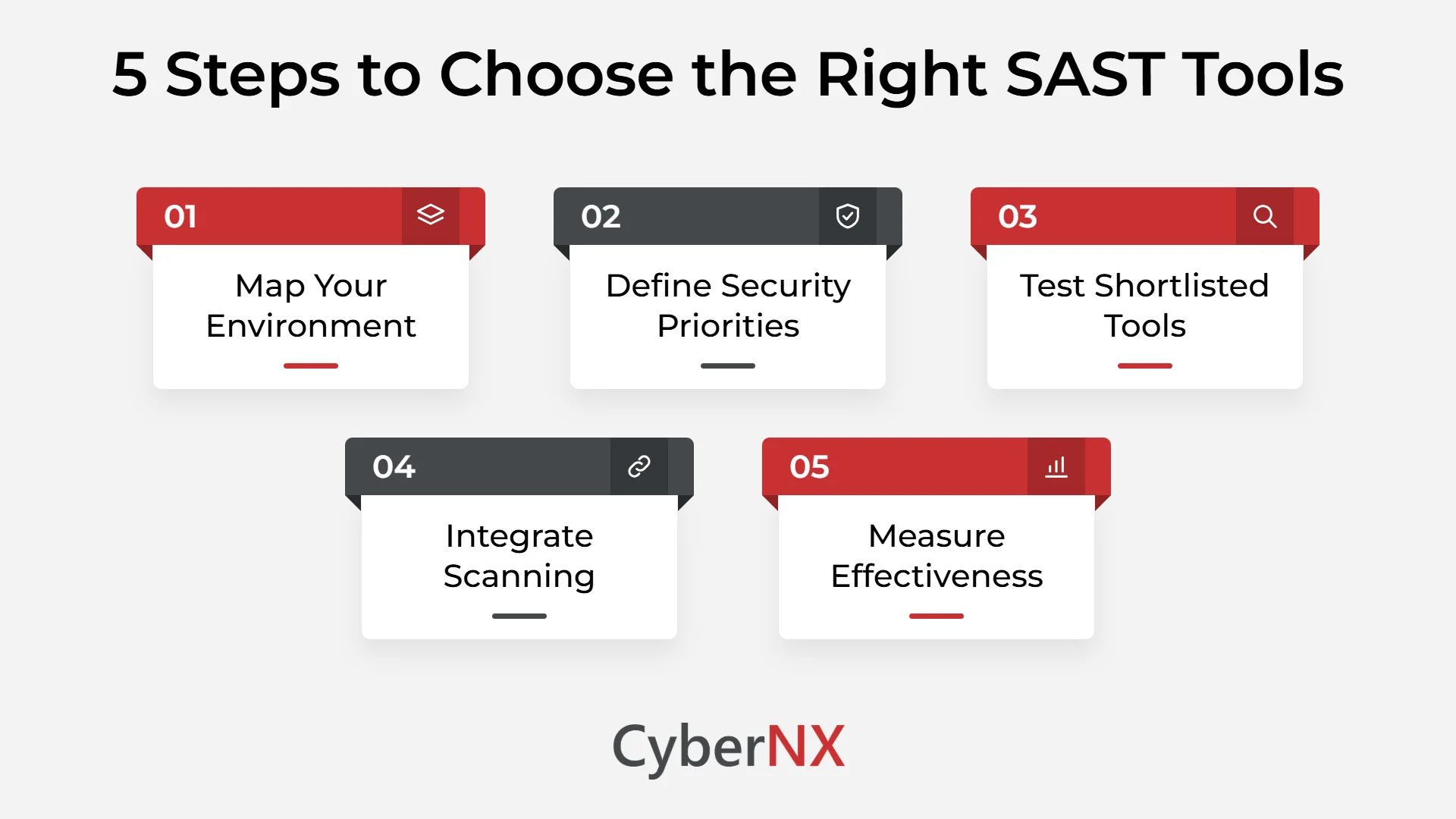
1. Map Your Environment
Identify the languages, frameworks and pipelines you use.
2. Define Security Priorities
Focus on critical applications and relevant vulnerability types.
3. Test Shortlisted Tools
Compare findings, reports and remediation guidance using the same codebase.
4. Integrate Scanning
Add security checks to pull requests and CI/CD pipelines.
5. Measure Effectiveness
Track confirmed vulnerabilities, resolution times and recurring issues.
Remember that SAST scanning tools cannot identify every application weakness. Dynamic testing, penetration testing, and dependency analysis address different security risks.
Conclusion
Effective application security starts before vulnerable code reaches production. The right SAST tools help your team identify coding weaknesses early, making remediation part of the development process.
However, no single tool can address every application security risk. Results depend on proper configuration, meaningful findings, and consistent remediation. Combining automated testing with expert review can help identify weaknesses that individual tools may miss.
We at CyberNX provide Secure Code Review services to help organisations identify vulnerabilities in their application code and address security gaps before deployment. Our services complement SAST by adding expert analysis to automated testing, helping teams strengthen their application security.
Looking to strengthen security across your software development lifecycle? Get in touch with our team to learn how our Secure Code Review services can support your application security goals.
SAST tools FAQs
What are SAST tools?
SAST tools analyse source code, bytecode, or binaries without executing an application. They identify potential vulnerabilities and insecure coding practices during development, helping teams fix issues before deployment.
Which SAST tools are best?
Five good options to consider are Checkmarx, Veracode, Semgrep, SonarQube and GitHub CodeQL. Each one suits a different need, from enterprise testing to custom code checks. The best pick depends on your technology stack, budget and security goals.
Are there any free SAST tools?
Yes. Several free SAST tools offer useful code analysis capabilities, including:
- Semgrep Community Edition: Supports customisable, rule-based code analysis.
- SonarQube Community Build: Combines code quality checks with security analysis.
- GitHub CodeQL: Offers code scanning for eligible repositories and use cases.
Check current licensing and feature limitations before selecting a tool.
What is the difference between SAST and DAST?
SAST analyses code without running the application, whereas DAST tests a running application for security weaknesses. SAST helps identify insecure coding patterns, while DAST examines application behaviour. Using both provides broader security coverage.
Can SAST tools detect all vulnerabilities?
No. SAST tools can miss runtime issues, complex business logic flaws, and vulnerabilities requiring additional context. Combining static analysis with DAST, penetration testing, and dependency analysis helps address these gaps.
When should SAST scanning be performed?
SAST scanning should begin early in development and continue throughout the software development lifecycle. Teams can integrate scans into IDEs, pull requests, and CI/CD pipelines to identify vulnerabilities before code reaches production.